1. Open an MPEG file.
2. There are three kinds of splitting mode. Please select a splitting mode: By frame
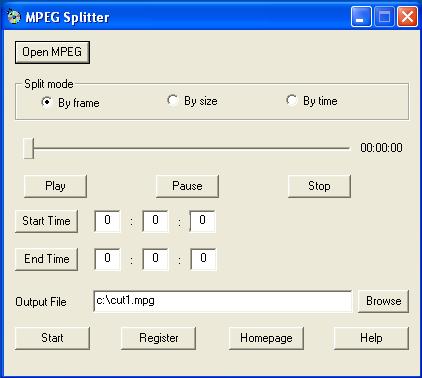
By frame: split a part of MPEG file by setting the start time and the end time.
3. Click the Play button to preview the MPEG file, or drag the slide bar directly, then click the Start Time button and the End Time button, or enter the Start Time and the End Time manually.
4. At last, click the Start button to start splitting the MPEG file.
MPEG Splitter's reviews by informer.com
The following comment is from one of the world's largest software download site informer.com (Alexa Traffic Rank: 402)
MPEG Splitter is designed to make your MPEG files splitting process simpler and quicker. This simple yet useful application gives you the ability to split, cut or trim large MPEG file into as many small sections as you wish.
Moreover its comprehensive help menu allows the novice user to familiarize them with the tool easily. The utility provides three types of splitting modes i.e. by frame, by size and by time. With these modes you can break a MPEG file according to your requirement with just few steps. It's "By frame option" lets you split a file by setting the start time and end time. with "By size" option you can split a MPEG file into many equal pieces by setting the size of every piece, and via its "By time" option you can split a file by setting the duration of every piece. 
MPEG Splitter has a built in MPEG player that shows you the preview of selected file before splitting process.
More information >>